SMPL Free
For exploring the full SMPL browser sampler.
- Play every control in the browser.
- Mailing-list signup unlocks 10 MP3 exports from selected sounds.
- Every export is royalty-free and cleared for release.
+            +            +       ░░░░░+            +            +            +
          +            +         ░░░░░░░░        +            +            +
       +            +           ░░░░░░░░░░    +            +            +
    +            +            +░░░▒▒▒▒▒░░░░░            +            +
 +            +            +  ░░░▒▒▒▒▒▒▒▒░░░░░       ░            +          ░░░░
           +            +    ░░░▒▒▓▓▓▓▓▒▒▒░░░░░░░░░░░░░░░      +           ░░░░░░
░       +            +      ░░░▒▒▓█████▓▓▒▒▒░░░░░░░░░░░░░░░ +            +░░░░░░░
░░   +         ░░░+        ░░░▒▒▓████████▓▒▒▒▒░░░░░░░▒░░░░░░          +  ░░░░▒▒▒▒
░░░         ░░░░░░░░░░░░░░░░░▒▒▓██▓▓▓▓▓███▓▓▒▒▒▒▒▒▒▒▒▒▒▒▒░░░░      +    ░░░▒▒▒▒▒▒
▒░░░░     ░░░░░░░░░░░░░░░░░░▒▒▓██▓▒▒▒▒▒▓▓███▓▓▒▒▒▒▒▒▒▓▒▒▒▒▒░░░  +     ░░░░▒▒▒▓▓▓▓
▒▒░░░░░░░░░░░░░▒▒▒░░░░░░░░░▒▒▓██▓▒▒▒▒▒▒▒▒▓████▓▓▓▓▓▓▓█▓▓▓▒▒▒░░░      ░░░░▒▒▓▓████
▓▒▒░░░░░░░░░▒▒▒▒▒▒▒▒▒▒▒▒▒▒▒▒▓██▓▒▒░░░░░▒▒▒▓▓█████████████▓▓▒▒░░░░░░░░░░░▒▒▓██████
█▓▒▒▒░░░░░▒▒▒▒▒▓▓▓▒▒▒▒▒▒▒▒▒▓██▓▒▒░░░░░░░░▒▒▒▓▓███████▓█████▓▒▒░░░░░░░░▒▒▒▓███▓▓▓▓
▓█▓▒▒▒▒▒▒▒▒▒▓▓▓███▓▓▓▓▓▓▓▓▓██▓▒▒░░░░░░░░░░▒▒▒▒▓▓▓▓▓▓▓▒▓▓▓███▓▒▒░░░░░░▒▒▒▓██▓▓▒▒▒▒
▒██▓▓▒▒▒▒▒▓▓████████████████▓▒▒░░░  +  ░░░░░▒▒▒▒▒▒▒▒▒▒▒▒▒▓▓██▓▒▒▒▒▒▒▒▒▓▓██▓▒▒▒▒▒▒
▒▓███▓▓▓▓▓█████▓▓▓█████████▓▒▒░░░+       ░░░░░▒▒▒▒▒▒▒░▒▒▒▒▒▓██▓▒▒▒▒▒▒▓███▓▒▒▒░░░░
░▒▓█████████▓▓▓▒▒▒▓▓▓▓▓▓▓▓▓▒▒░░░          ░░░░░░░░░░░░░░░▒▒▒▓██▓▓▓▓▓▓███▓▒▒░░░░░░
░▒▒▓▓█████▓▓▒▒▒▒▒▒▒▒▒▒▒▒▒▒▒▒░░░         +   ░░░░░░░░░░░░░░░▒▒▓████████▓▓▒▒░░░░░░░
░░▒▒▒▓▓▓▓▓▒▒▒▒▒░░░▒▒▒▒▒▒▒▒▒░░░       +        ░░░░░░░ ░░░░░░▒▒▓██████▓▒▒▒░░░░
 ░░▒▒▒▒▒▒▒▒▒░░░░░░░░░░░░░░░░░     +            +         ░░░░▒▒▓▓▓▓▓▓▒▒▒░░░
 ░░░░▒▒▒▒▒░░░░░░░░░░░░░░░░░░   +            +            + ░░░▒▒▒▒▒▒▒▒░░░░
  ░░░░░░░░░░░░░+  ░░░░░░░░░ +            +            +     ░░░▒▒▒▒▒▒░░░░       +
   ░░░░░░░░░+            +            +            +         ░░░░░░░░░░░     +
     ░░░░░            +            +            +            +░░░░░░░░    +
+ + + + + ░░░░░░ + 
 ENTROPYRECORDS
Feel the power of merging different musical cultures. The Dropfather offers a sonic fusion of melodic Sicilian soundscapes and classic grime sounds, along with drums and vocals found in UK rave culture.
Explore the DROPFATHER sample pack in SMPL, our free-to-play browser sampler.
No download, no trial period and no invasive cookies. SMPL is our browser based sampler that comes loaded with 12 full loops from the DROPFATHER. Export audio straight to your device and share your take with friends.
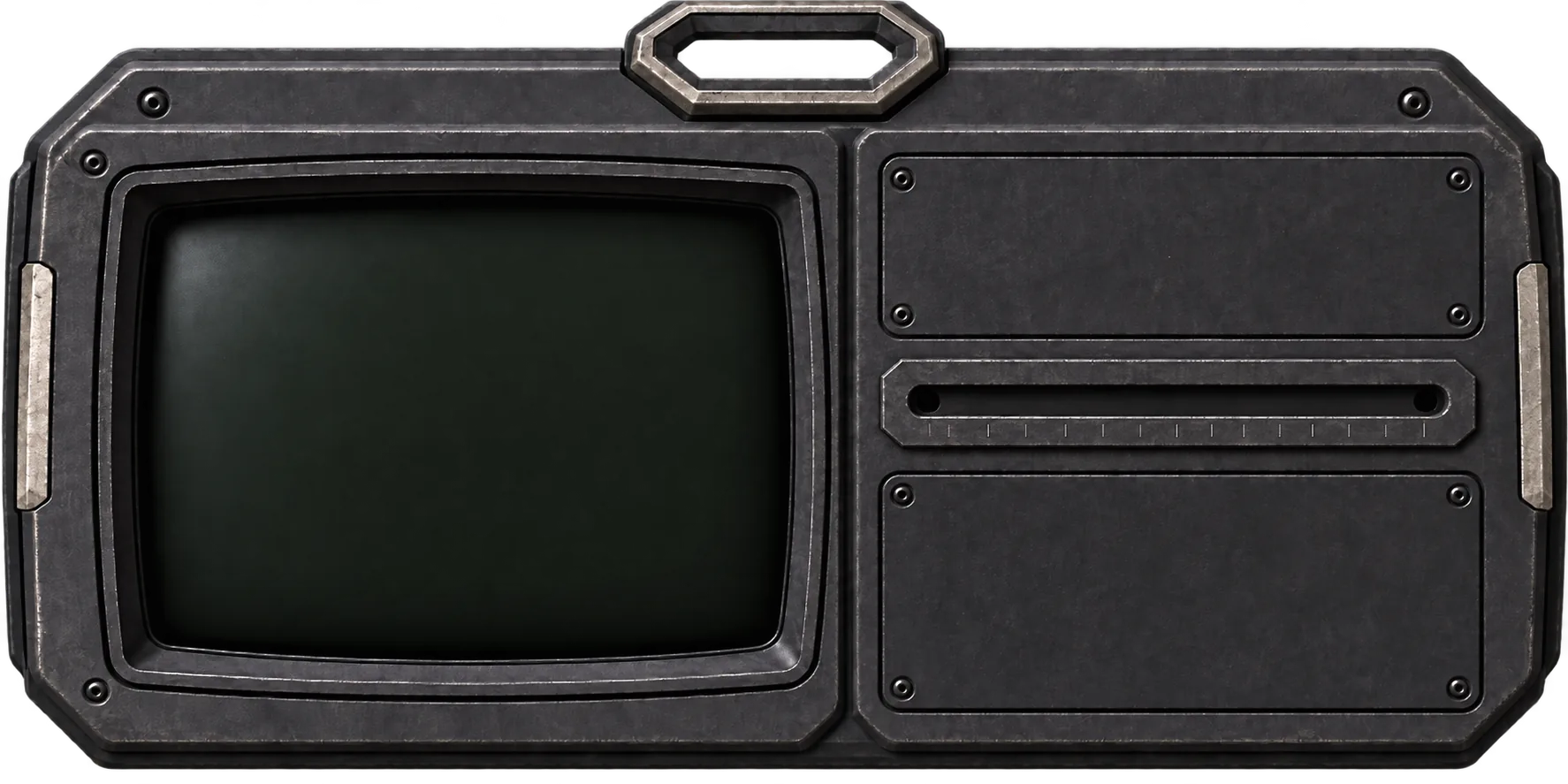


Listen to the original recording, then use the corruption slider to hear two different takes made in SMPL.
Clarinets, strings and guitar loops recorded live in Italy, bass loops, synths and vocals produced in London. Combine the two and experiment to find something unique.
Open SMPL░░▒▒▓▓████▓▓▒▒░░ ╲ │ ╱ ╲ │ ╱ ───╳───────╳─── ╱ │ ╲ ╱ │ ╲ ░░▒▒▓▓████▓▓▒▒░░
Play the full SMPL experience free, unlock unlimited exports with SMPL Plus, or own the complete DROPFATHER sample pack with SMPL Plus included.
For exploring the full SMPL browser sampler.
For producers who want to make and export more takes.
SMPL PLUS included for FREE
For owning the complete DROPFATHER sample pack and SMPL Plus.
£45 if bought separately, now £30£45£30£45 if SMPL Plus and the pack are bought separately
Free exports require joining the Entropy Records mailing list. Unsubscribe at any point.
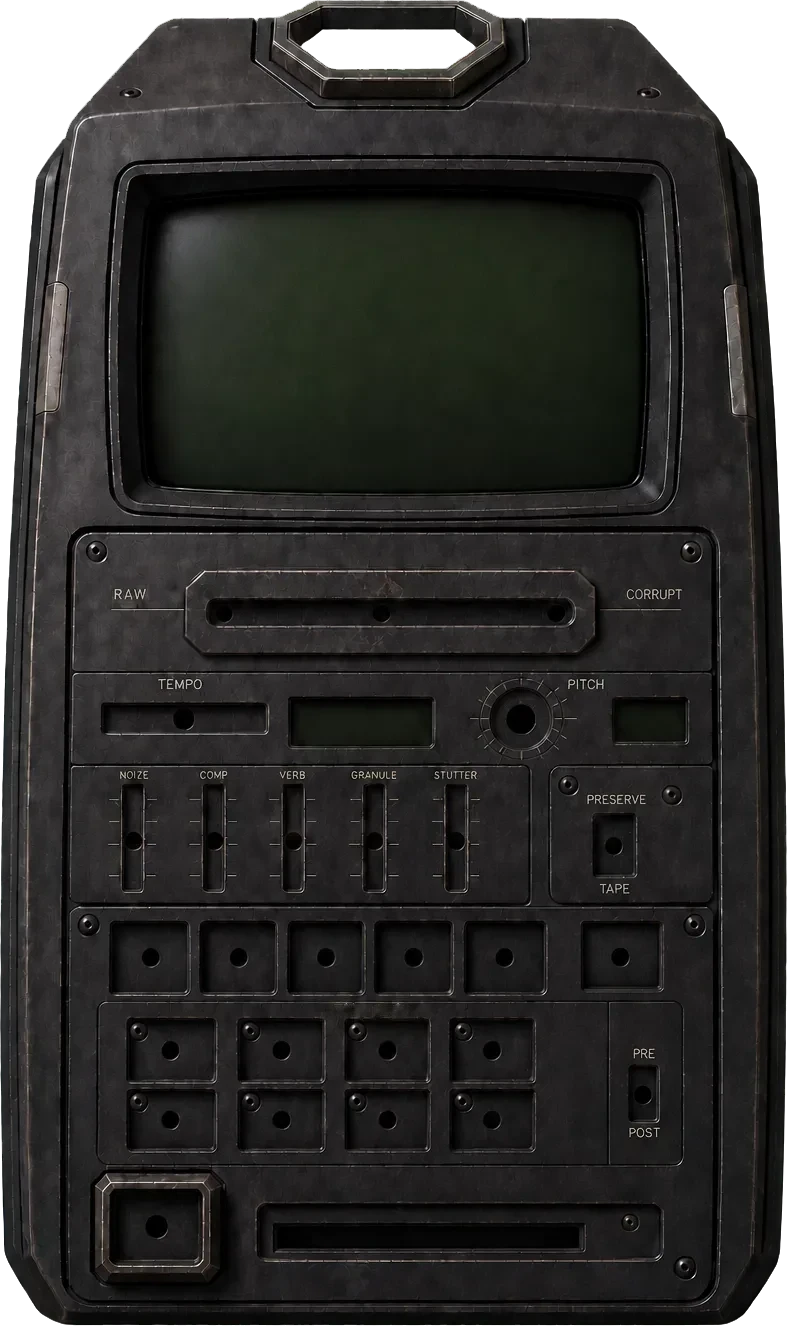
SMPL turns a sample into something playable right out the box. Read through the manual to get the most out of the device.
 0 STENTROPY OS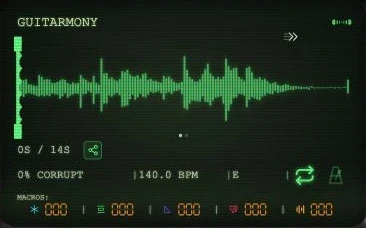

A different sound in every stone. Pick a world, drop in a gem, and start playing.
Scroll to explore the next control ↓0 STENTROPY OSA different sound in every stone. Pick a world, drop in a gem, and start playing.
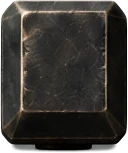
Each gemstone loads a different sound. The three worlds are Sicily (orange), London (green) and FUSED (purple). You can play and experiment with every gem. The free tier exports selected sounds; SMPL Plus unlocks exports from all 30 gems.
Gemstones can be tapped or swiped into the gem socket in the device and the device will power on.
Your sound, at a glance. Crop the loop, watch the waveform, and keep an eye on your tempo and key. Click below for the full breakdown
The Screen houses many different aspects of the device.
One lever. A very different character. Bring in distortion and glitch as gently or heavily as you like.
Drag to the right to enable CORRUPTION, a blend of different effects combined into one fader that gives a distorted, glitchy sound. It is applied first in the mixing chain.
Find the pace of the idea. Slow it right down or push the loop into another gear.
Set the BPM of the sample by moving the tempo slider. Adjusted tempo can be set manually by holding down the tempo slider and reset to its initial value by double tapping. The range is −70% to +70%.
Take it up. Drag it down. Shift the sample’s pitch through a full octave in either direction.
Set the pitch of the sample by twisting the pitch knob. The same double-tap and hold mechanics as the tempo slider apply. The range is ±1 octave.
Keep the key steady in Preserve, or let pitch move with speed for that classic tape feel.
Switch between two different pitch-stretching modes. Preserve keeps pitch the same as the tempo slider is changed, keeping the key readout aligned to the key you set. This mode can take longer to export.
Tape gives you the classic tape-stretch sound when tempo is moved. Pitch is no longer fixed and moves incrementally further from the original pitch as tempo increases or decreases.
Five effect chains within reach. Blend noise, compression, reverb, grains and stutter into your sound.
5 customised effect chains designed to work perfectly in synthesis with all different sample types. Macros are routed in the order they appear: NOIZE first, STUTTER last.
Make a performance out of it. Record your fader movements and replay them with the loop.
[SPACEBAR] - Play/Pause
[R] - Toggle Rec mode on/off
[M] - Toggle Metronome on/off
[L] - Toggle Loop on/off
Play, Stop, Record, Loop and Metronome. Tapping Play and Stop starts and stops audio playback.
Tapping Record enters REC mode. Moving any fader except tempo while audio is playing records that movement and replays it at the same point every loop. Slice-pad changes are recorded too and stay quantized to the beat. The recorded movement stops as soon as your finger lifts and can be overwritten by re-recording or overdubbing. Multiple recordings can run at once.
Use the x button next to a fader to delete a specific recording, or the x button next to Record to delete all recordings. Lift your finger before the recording ends so the device remembers your take.
Loop enables and disables the sample loop (one-shot versus loop) and does not affect exported audio. Metronome enables the built-in tempo-synced drum loop from the DROPFATHER Sample Pack and is not included in exports.
A clean starting point, one button away. Reset the controls and take the sound in a different direction.
[I] - Reset SMPL to INIT values
Resets the device to default settings, including recording, macros, pitch, tempo, corruption and slice pads.
Turn a loop into a new rhythm. Eight patterns cut, reverse and stretch the sound in time with the beat.
[1-8] - Toggle different slicepad options on/off
Choose from 8 pre-set pitch and time-stretching patterns. They are quantized to the beat so pads stay gridded and responsive to changes in tempo.
Change the order, change the result. Put slice processing before or after your macro effects.
[P] - Toggle Pre/Post
Select whether slice-pad processing happens BEFORE or AFTER the macros. POST is the default; PRE can create more subtle stutter effects.
Keep what you make. Render your take with its effects, crop and recorded movements, then download it.
Export the current take with all applied effects, crop-bar settings, recordings and slice pads. Your take is prepared for download straight to your device.
Exporting lets you download the audio (MP3 only on the free tier, WAV with SMPL PLUS) and generates a shareable photo-card deterministically from your sample and applied effects. Macro effects visually distort the image in ways that correspond with their audible effect.
The photo-card can be shared with a friend along with a deeplink that lets them listen without downloading anything. They can tweak the sample to match their needs and download it themselves.
Your ideas have a home. Revisit saved takes and bring a previous sound back onto the device.
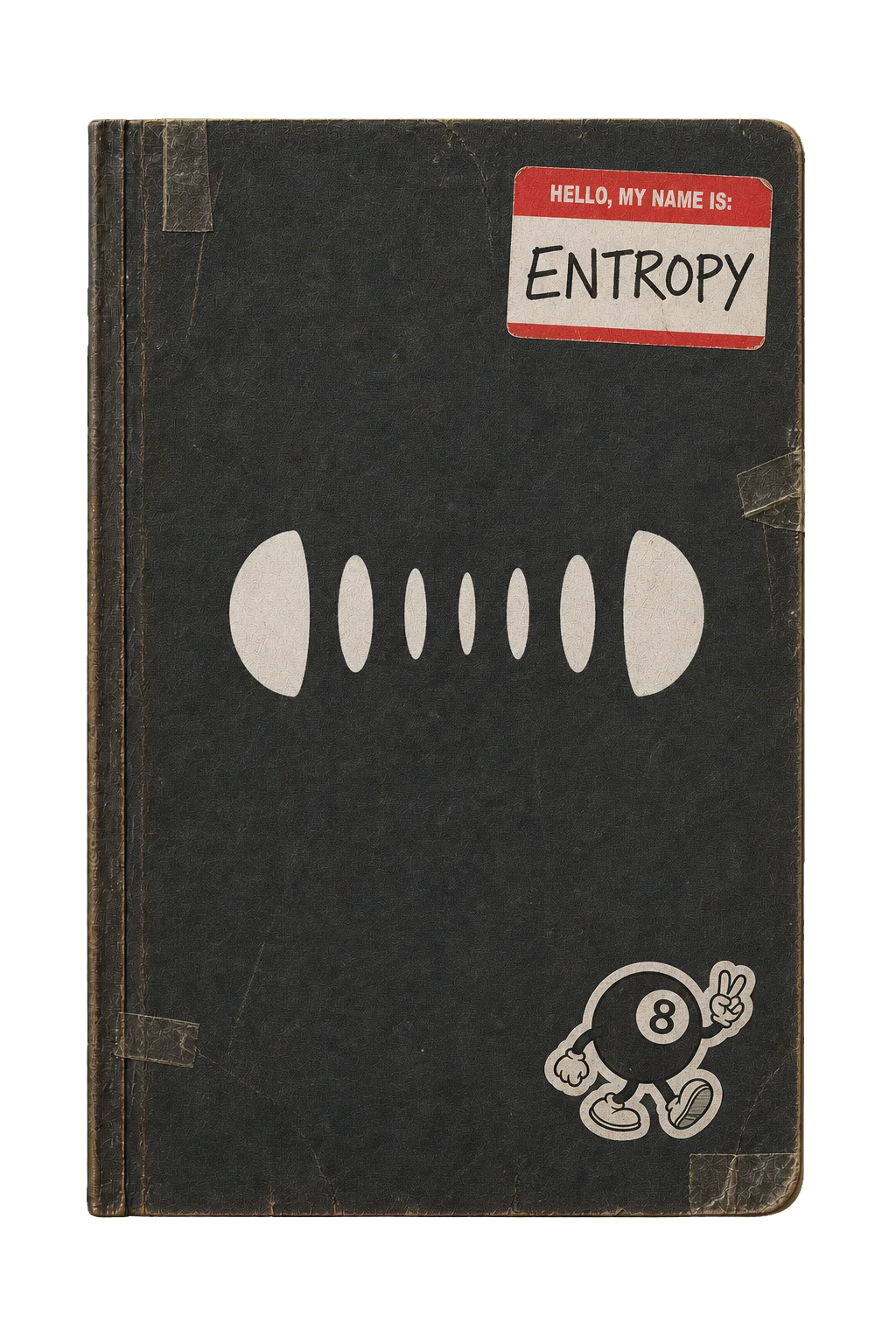
This is where all your exports are stored. The free tier has 10 exports available; remaining exports are displayed on the notebook cover. SMPL PLUS users have unlimited exports.
A maximum of 50 exports are saved to the notebook; the oldest takes are removed when the cap is reached. Photo-card data is stored on our servers so you can retrieve a sample and reapply it to the device at any time. Re-exporting a previously created take does not use another free-tier export.
Shared takes containing SMPL PLUS features can be previewed by friends but cannot be exported unless they also upgrade to SMPL PLUS. Samples can be renamed; otherwise they receive a randomly generated name based on the sample and its world.
A little guidance when you need it. Meet Z.A.N.E-BOT, your in-device tutorial and feedback companion.
Z.A.N.E-BOT is your Entropy digital assistant. ZANE acts as both a basic tutorial to the device and a way to submit feedback on how we can improve.
Each gemstone loads a different sound. The three worlds are Sicily (orange), London (green) and FUSED (purple). You can play and experiment with every gem. The free tier exports selected sounds; SMPL Plus unlocks exports from all 30 gems.
Gemstones can be tapped or swiped into the gem socket in the device and the device will power on.
The Screen houses many different aspects of the device.
Drag to the right to enable CORRUPTION, a blend of different effects combined into one fader that gives a distorted, glitchy sound. It is applied first in the mixing chain.
Set the BPM of the sample by moving the tempo slider. Adjusted tempo can be set manually by holding down the tempo slider and reset to its initial value by double tapping. The range is −70% to +70%.
Set the pitch of the sample by twisting the pitch knob. The same double-tap and hold mechanics as the tempo slider apply. The range is ±1 octave.
Switch between two different pitch-stretching modes. Preserve keeps pitch the same as the tempo slider is changed, keeping the key readout aligned to the key you set. This mode can take longer to export.
Tape gives you the classic tape-stretch sound when tempo is moved. Pitch is no longer fixed and moves incrementally further from the original pitch as tempo increases or decreases.
5 customised effect chains designed to work perfectly in synthesis with all different sample types. Macros are routed in the order they appear: NOIZE first, STUTTER last.
Play, Stop, Record, Loop and Metronome. Tapping Play and Stop starts and stops audio playback.
Tapping Record enters REC mode. Moving any fader except tempo while audio is playing records that movement and replays it at the same point every loop. Slice-pad changes are recorded too and stay quantized to the beat. The recorded movement stops as soon as your finger lifts and can be overwritten by re-recording or overdubbing. Multiple recordings can run at once.
Use the x button next to a fader to delete a specific recording, or the x button next to Record to delete all recordings. Lift your finger before the recording ends so the device remembers your take.
Loop enables and disables the sample loop (one-shot versus loop) and does not affect exported audio. Metronome enables the built-in tempo-synced drum loop from the DROPFATHER Sample Pack and is not included in exports.
Resets the device to default settings, including recording, macros, pitch, tempo, corruption and slice pads.
Choose from 8 pre-set pitch and time-stretching patterns. They are quantized to the beat so pads stay gridded and responsive to changes in tempo.
Select whether slice-pad processing happens BEFORE or AFTER the macros. POST is the default; PRE can create more subtle stutter effects.
Export the current take with all applied effects, crop-bar settings, recordings and slice pads. Your take is prepared for download straight to your device.
Exporting lets you download the audio (MP3 only on the free tier, WAV with SMPL PLUS) and generates a shareable photo-card deterministically from your sample and applied effects. Macro effects visually distort the image in ways that correspond with their audible effect.
The photo-card can be shared with a friend along with a deeplink that lets them listen without downloading anything. They can tweak the sample to match their needs and download it themselves.
Saved takes live in the Export log.
0 STENTROPY OSThis is where all your exports are stored. The free tier has 10 exports available; remaining exports are displayed on the notebook cover. SMPL PLUS users have unlimited exports.
A maximum of 50 exports are saved to the notebook; the oldest takes are removed when the cap is reached. Photo-card data is stored on our servers so you can retrieve a sample and reapply it to the device at any time. Re-exporting a previously created take does not use another free-tier export.
Shared takes containing SMPL PLUS features can be previewed by friends but cannot be exported unless they also upgrade to SMPL PLUS. Samples can be renamed; otherwise they receive a randomly generated name based on the sample and its world.
Z.A.N.E-BOT is your Entropy digital assistant. ZANE acts as both a basic tutorial to the device and a way to submit feedback on how we can improve.
SPACEBAR - Play/Pause
1-8 - Toggle different slicepad options on/off
R - Toggle Rec mode on/off
M - Toggle Metronome on/off
L - Toggle Loop on/off
P - Toggle Pre/Post
I - Reset SMPL to INIT values
DROPFATHER is Entropy Records’ sample pack with over 500 samples, made from live-recorded and produced material. SMPL is our free-to-try browser sampler that lets you morph, corrupt and download sounds from DROPFATHER.
No. SMPL runs entirely on our website. No download or prerequisite is required for use and SMPL works on any browser or device. Download audio to your phone or computer and drop it straight into your next project.
SMPL is fully playable, with all controls and included sounds available in the browser. Joining the Entropy Records mailing list unlocks 10 MP3 exports from selected sounds. SMPL Plus unlocks exports from all 30 gems, unlimited exports including WAV, and slice-pad rhythmic rearrangements.
Yes. Every SMPL export is royalty-free and cleared for commercial music releases, including the 10 free exports and every SMPL Plus export. The DROPFATHER sample pack’s WAV source files are royalty-free and cleared for release too.
Yes, SMPL is optimised to work just as well if not better on a mobile device. Record multiple controls at once with multi-finger control and use intuitive double-tap and hold shortcuts to fine-tune. Desktop and mobile functionality are identical and you can use the license key you receive on sign up to register up to two devices.
Details on data and email: our privacy policy.
+            +            +       ░░░░░+            +            +            +
          +            +         ░░░░░░░░        +            +            +
       +            +           ░░░░░░░░░░    +            +            +
    +            +            +░░░▒▒▒▒▒░░░░░            +            +
 +            +            +  ░░░▒▒▒▒▒▒▒▒░░░░░       ░            +          ░░░░
           +            +    ░░░▒▒▓▓▓▓▓▒▒▒░░░░░░░░░░░░░░░      +           ░░░░░░
░       +            +      ░░░▒▒▓█████▓▓▒▒▒░░░░░░░░░░░░░░░ +            +░░░░░░░
░░   +         ░░░+        ░░░▒▒▓████████▓▒▒▒▒░░░░░░░▒░░░░░░          +  ░░░░▒▒▒▒
░░░         ░░░░░░░░░░░░░░░░░▒▒▓██▓▓▓▓▓███▓▓▒▒▒▒▒▒▒▒▒▒▒▒▒░░░░      +    ░░░▒▒▒▒▒▒
▒░░░░     ░░░░░░░░░░░░░░░░░░▒▒▓██▓▒▒▒▒▒▓▓███▓▓▒▒▒▒▒▒▒▓▒▒▒▒▒░░░  +     ░░░░▒▒▒▓▓▓▓
▒▒░░░░░░░░░░░░░▒▒▒░░░░░░░░░▒▒▓██▓▒▒▒▒▒▒▒▒▓████▓▓▓▓▓▓▓█▓▓▓▒▒▒░░░      ░░░░▒▒▓▓████
▓▒▒░░░░░░░░░▒▒▒▒▒▒▒▒▒▒▒▒▒▒▒▒▓██▓▒▒░░░░░▒▒▒▓▓█████████████▓▓▒▒░░░░░░░░░░░▒▒▓██████
█▓▒▒▒░░░░░▒▒▒▒▒▓▓▓▒▒▒▒▒▒▒▒▒▓██▓▒▒░░░░░░░░▒▒▒▓▓███████▓█████▓▒▒░░░░░░░░▒▒▒▓███▓▓▓▓
▓█▓▒▒▒▒▒▒▒▒▒▓▓▓███▓▓▓▓▓▓▓▓▓██▓▒▒░░░░░░░░░░▒▒▒▒▓▓▓▓▓▓▓▒▓▓▓███▓▒▒░░░░░░▒▒▒▓██▓▓▒▒▒▒
▒██▓▓▒▒▒▒▒▓▓████████████████▓▒▒░░░  +  ░░░░░▒▒▒▒▒▒▒▒▒▒▒▒▒▓▓██▓▒▒▒▒▒▒▒▒▓▓██▓▒▒▒▒▒▒
▒▓███▓▓▓▓▓█████▓▓▓█████████▓▒▒░░░+       ░░░░░▒▒▒▒▒▒▒░▒▒▒▒▒▓██▓▒▒▒▒▒▒▓███▓▒▒▒░░░░
░▒▓█████████▓▓▓▒▒▒▓▓▓▓▓▓▓▓▓▒▒░░░          ░░░░░░░░░░░░░░░▒▒▒▓██▓▓▓▓▓▓███▓▒▒░░░░░░
░▒▒▓▓█████▓▓▒▒▒▒▒▒▒▒▒▒▒▒▒▒▒▒░░░         +   ░░░░░░░░░░░░░░░▒▒▓████████▓▓▒▒░░░░░░░
░░▒▒▒▓▓▓▓▓▒▒▒▒▒░░░▒▒▒▒▒▒▒▒▒░░░       +        ░░░░░░░ ░░░░░░▒▒▓██████▓▒▒▒░░░░
 ░░▒▒▒▒▒▒▒▒▒░░░░░░░░░░░░░░░░░     +            +         ░░░░▒▒▓▓▓▓▓▓▒▒▒░░░
 ░░░░▒▒▒▒▒░░░░░░░░░░░░░░░░░░   +            +            + ░░░▒▒▒▒▒▒▒▒░░░░
  ░░░░░░░░░░░░░+  ░░░░░░░░░ +            +            +     ░░░▒▒▒▒▒▒░░░░       +
   ░░░░░░░░░+            +            +            +         ░░░░░░░░░░░     +
     ░░░░░            +            +            +            +░░░░░░░░    +
+ + + + + ░░░░░░ + ENTROPYRECORDSFeel the power of merging different musical cultures. The Dropfather offers a sonic fusion of melodic Sicilian soundscapes and classic grime sounds, along with drums and vocals found in UK rave culture.
Explore the DROPFATHER sample pack in SMPL, our free-to-play browser sampler.
No download, no trial period and no invasive cookies. SMPL is our browser based sampler that comes loaded with 12 full loops from the DROPFATHER. Export audio straight to your device and share your take with friends.
Listen to the original recording, then use the corruption slider to hear two different takes made in SMPL.
Clarinets, strings and guitar loops recorded live in Italy, bass loops, synths and vocals produced in London. Combine the two and experiment to find something unique.
Open SMPL░░▒▒▓▓████▓▓▒▒░░ ╲ │ ╱ ╲ │ ╱ ───╳───────╳─── ╱ │ ╲ ╱ │ ╲ ░░▒▒▓▓████▓▓▒▒░░
Play the full SMPL experience free, unlock unlimited exports with SMPL Plus, or own the complete DROPFATHER sample pack with SMPL Plus included.
For exploring the full SMPL browser sampler.
For producers who want to make and export more takes.
SMPL PLUS included for FREE
For owning the complete DROPFATHER sample pack and SMPL Plus.
£45 if bought separately, now £30£45£30£45 if SMPL Plus and the pack are bought separately
Free exports require joining the Entropy Records mailing list. Unsubscribe at any point.
SMPL turns a sample into something playable right out the box. Read through the manual to get the most out of the device.
0 STENTROPY OSA different sound in every stone. Pick a world, drop in a gem, and start playing.
Scroll to explore the next control ↓0 STENTROPY OSA different sound in every stone. Pick a world, drop in a gem, and start playing.
Each gemstone loads a different sound. The three worlds are Sicily (orange), London (green) and FUSED (purple). You can play and experiment with every gem. The free tier exports selected sounds; SMPL Plus unlocks exports from all 30 gems.
Gemstones can be tapped or swiped into the gem socket in the device and the device will power on.
Your sound, at a glance. Crop the loop, watch the waveform, and keep an eye on your tempo and key. Click below for the full breakdown
The Screen houses many different aspects of the device.
One lever. A very different character. Bring in distortion and glitch as gently or heavily as you like.
Drag to the right to enable CORRUPTION, a blend of different effects combined into one fader that gives a distorted, glitchy sound. It is applied first in the mixing chain.
Find the pace of the idea. Slow it right down or push the loop into another gear.
Set the BPM of the sample by moving the tempo slider. Adjusted tempo can be set manually by holding down the tempo slider and reset to its initial value by double tapping. The range is −70% to +70%.
Take it up. Drag it down. Shift the sample’s pitch through a full octave in either direction.
Set the pitch of the sample by twisting the pitch knob. The same double-tap and hold mechanics as the tempo slider apply. The range is ±1 octave.
Keep the key steady in Preserve, or let pitch move with speed for that classic tape feel.
Switch between two different pitch-stretching modes. Preserve keeps pitch the same as the tempo slider is changed, keeping the key readout aligned to the key you set. This mode can take longer to export.
Tape gives you the classic tape-stretch sound when tempo is moved. Pitch is no longer fixed and moves incrementally further from the original pitch as tempo increases or decreases.
Five effect chains within reach. Blend noise, compression, reverb, grains and stutter into your sound.
5 customised effect chains designed to work perfectly in synthesis with all different sample types. Macros are routed in the order they appear: NOIZE first, STUTTER last.
Make a performance out of it. Record your fader movements and replay them with the loop.
[SPACEBAR] - Play/Pause
[R] - Toggle Rec mode on/off
[M] - Toggle Metronome on/off
[L] - Toggle Loop on/off
Play, Stop, Record, Loop and Metronome. Tapping Play and Stop starts and stops audio playback.
Tapping Record enters REC mode. Moving any fader except tempo while audio is playing records that movement and replays it at the same point every loop. Slice-pad changes are recorded too and stay quantized to the beat. The recorded movement stops as soon as your finger lifts and can be overwritten by re-recording or overdubbing. Multiple recordings can run at once.
Use the x button next to a fader to delete a specific recording, or the x button next to Record to delete all recordings. Lift your finger before the recording ends so the device remembers your take.
Loop enables and disables the sample loop (one-shot versus loop) and does not affect exported audio. Metronome enables the built-in tempo-synced drum loop from the DROPFATHER Sample Pack and is not included in exports.
A clean starting point, one button away. Reset the controls and take the sound in a different direction.
[I] - Reset SMPL to INIT values
Resets the device to default settings, including recording, macros, pitch, tempo, corruption and slice pads.
Turn a loop into a new rhythm. Eight patterns cut, reverse and stretch the sound in time with the beat.
[1-8] - Toggle different slicepad options on/off
Choose from 8 pre-set pitch and time-stretching patterns. They are quantized to the beat so pads stay gridded and responsive to changes in tempo.
Change the order, change the result. Put slice processing before or after your macro effects.
[P] - Toggle Pre/Post
Select whether slice-pad processing happens BEFORE or AFTER the macros. POST is the default; PRE can create more subtle stutter effects.
Keep what you make. Render your take with its effects, crop and recorded movements, then download it.
Export the current take with all applied effects, crop-bar settings, recordings and slice pads. Your take is prepared for download straight to your device.
Exporting lets you download the audio (MP3 only on the free tier, WAV with SMPL PLUS) and generates a shareable photo-card deterministically from your sample and applied effects. Macro effects visually distort the image in ways that correspond with their audible effect.
The photo-card can be shared with a friend along with a deeplink that lets them listen without downloading anything. They can tweak the sample to match their needs and download it themselves.
Your ideas have a home. Revisit saved takes and bring a previous sound back onto the device.
This is where all your exports are stored. The free tier has 10 exports available; remaining exports are displayed on the notebook cover. SMPL PLUS users have unlimited exports.
A maximum of 50 exports are saved to the notebook; the oldest takes are removed when the cap is reached. Photo-card data is stored on our servers so you can retrieve a sample and reapply it to the device at any time. Re-exporting a previously created take does not use another free-tier export.
Shared takes containing SMPL PLUS features can be previewed by friends but cannot be exported unless they also upgrade to SMPL PLUS. Samples can be renamed; otherwise they receive a randomly generated name based on the sample and its world.
A little guidance when you need it. Meet Z.A.N.E-BOT, your in-device tutorial and feedback companion.
Z.A.N.E-BOT is your Entropy digital assistant. ZANE acts as both a basic tutorial to the device and a way to submit feedback on how we can improve.
Each gemstone loads a different sound. The three worlds are Sicily (orange), London (green) and FUSED (purple). You can play and experiment with every gem. The free tier exports selected sounds; SMPL Plus unlocks exports from all 30 gems.
Gemstones can be tapped or swiped into the gem socket in the device and the device will power on.
The Screen houses many different aspects of the device.
Drag to the right to enable CORRUPTION, a blend of different effects combined into one fader that gives a distorted, glitchy sound. It is applied first in the mixing chain.
Set the BPM of the sample by moving the tempo slider. Adjusted tempo can be set manually by holding down the tempo slider and reset to its initial value by double tapping. The range is −70% to +70%.
Set the pitch of the sample by twisting the pitch knob. The same double-tap and hold mechanics as the tempo slider apply. The range is ±1 octave.
Switch between two different pitch-stretching modes. Preserve keeps pitch the same as the tempo slider is changed, keeping the key readout aligned to the key you set. This mode can take longer to export.
Tape gives you the classic tape-stretch sound when tempo is moved. Pitch is no longer fixed and moves incrementally further from the original pitch as tempo increases or decreases.
5 customised effect chains designed to work perfectly in synthesis with all different sample types. Macros are routed in the order they appear: NOIZE first, STUTTER last.
Play, Stop, Record, Loop and Metronome. Tapping Play and Stop starts and stops audio playback.
Tapping Record enters REC mode. Moving any fader except tempo while audio is playing records that movement and replays it at the same point every loop. Slice-pad changes are recorded too and stay quantized to the beat. The recorded movement stops as soon as your finger lifts and can be overwritten by re-recording or overdubbing. Multiple recordings can run at once.
Use the x button next to a fader to delete a specific recording, or the x button next to Record to delete all recordings. Lift your finger before the recording ends so the device remembers your take.
Loop enables and disables the sample loop (one-shot versus loop) and does not affect exported audio. Metronome enables the built-in tempo-synced drum loop from the DROPFATHER Sample Pack and is not included in exports.
Resets the device to default settings, including recording, macros, pitch, tempo, corruption and slice pads.
Choose from 8 pre-set pitch and time-stretching patterns. They are quantized to the beat so pads stay gridded and responsive to changes in tempo.
Select whether slice-pad processing happens BEFORE or AFTER the macros. POST is the default; PRE can create more subtle stutter effects.
Export the current take with all applied effects, crop-bar settings, recordings and slice pads. Your take is prepared for download straight to your device.
Exporting lets you download the audio (MP3 only on the free tier, WAV with SMPL PLUS) and generates a shareable photo-card deterministically from your sample and applied effects. Macro effects visually distort the image in ways that correspond with their audible effect.
The photo-card can be shared with a friend along with a deeplink that lets them listen without downloading anything. They can tweak the sample to match their needs and download it themselves.
Saved takes live in the Export log.
0 STENTROPY OSThis is where all your exports are stored. The free tier has 10 exports available; remaining exports are displayed on the notebook cover. SMPL PLUS users have unlimited exports.
A maximum of 50 exports are saved to the notebook; the oldest takes are removed when the cap is reached. Photo-card data is stored on our servers so you can retrieve a sample and reapply it to the device at any time. Re-exporting a previously created take does not use another free-tier export.
Shared takes containing SMPL PLUS features can be previewed by friends but cannot be exported unless they also upgrade to SMPL PLUS. Samples can be renamed; otherwise they receive a randomly generated name based on the sample and its world.
Z.A.N.E-BOT is your Entropy digital assistant. ZANE acts as both a basic tutorial to the device and a way to submit feedback on how we can improve.
SPACEBAR - Play/Pause
1-8 - Toggle different slicepad options on/off
R - Toggle Rec mode on/off
M - Toggle Metronome on/off
L - Toggle Loop on/off
P - Toggle Pre/Post
I - Reset SMPL to INIT values
DROPFATHER is Entropy Records’ sample pack with over 500 samples, made from live-recorded and produced material. SMPL is our free-to-try browser sampler that lets you morph, corrupt and download sounds from DROPFATHER.
No. SMPL runs entirely on our website. No download or prerequisite is required for use and SMPL works on any browser or device. Download audio to your phone or computer and drop it straight into your next project.
SMPL is fully playable, with all controls and included sounds available in the browser. Joining the Entropy Records mailing list unlocks 10 MP3 exports from selected sounds. SMPL Plus unlocks exports from all 30 gems, unlimited exports including WAV, and slice-pad rhythmic rearrangements.
Yes. Every SMPL export is royalty-free and cleared for commercial music releases, including the 10 free exports and every SMPL Plus export. The DROPFATHER sample pack’s WAV source files are royalty-free and cleared for release too.
Yes, SMPL is optimised to work just as well if not better on a mobile device. Record multiple controls at once with multi-finger control and use intuitive double-tap and hold shortcuts to fine-tune. Desktop and mobile functionality are identical and you can use the license key you receive on sign up to register up to two devices.
Details on data and email: our privacy policy.